How to Redeem Honkai: Star Rail Codes on Web, Android & iOS
Honkai: Star Rail codes can be redeemed through HoYoverse's official gift website, and Android players can also use the in-game redemption option. The important platform difference is iOS: HoYoverse says the in-game redemption button is unavailable on iPhone and iPad, so iOS players need the official website instead. Before entering a code, use the HoYoverse Account linked to the character that should receive the reward and verify that you are acting on the intended game account. A successful redemption does not place the items directly into inventory; rewards are delivered through the in-game mailbox. This guide separates the web, Android, and iOS routes and explains what to check when a valid code appears to fail.
Before you start
For web redemption, the safest preparation is to sign in to the official gift page with the same HoYoverse Account used by the target character. Do not rely only on a familiar browser session: a second HoYoverse login in the same browser can make an otherwise correct code go to the wrong account context. On iOS, stop looking for an in-game button; HoYoverse explicitly directs iPhone and iPad players to the website.
Android players can choose either route. The website is convenient when copying several codes from a desktop or another device, while the in-game path is useful when already logged into the correct character. In both cases, finish by checking the mailbox on that character, because accepted rewards are delivered there rather than shown as an immediate inventory addition.
Step-by-step instructions
Website route: open the official HSR gift page, sign in, confirm you are using the linked HoYoverse Account, enter the code exactly, and submit. Then launch the game with the intended character and open the mailbox. Treat the website confirmation and the in-game mail as two separate checkpoints; a successful web submission tells you the code was accepted, while the mailbox confirms delivery to the character.
Android in-game route: open the Smartphone menu, open the profile options through the three-dot control, choose Redemption Code, enter the code, and confirm. This route is not the iOS route. When assisting another player, ask for the device platform first; otherwise a correct Android menu path can waste time for an iOS player who will never see that button.
What to expect
A successful redemption should lead to reward mail in Honkai: Star Rail. The code itself may be accepted before the player opens the game, so there can be a gap between browser redemption and actually collecting the items. The practical completion point is not merely pressing Redeem—it is opening the mailbox on the intended character and claiming the attached reward.
For multiple codes, process them one at a time and keep track of which submissions were accepted. This makes a later failure easier to diagnose because you can distinguish an account problem from a single expired or previously used code.
Important limits and conditions
The iOS limitation is platform-specific: the in-game redemption feature is unavailable there, so the official website is required. Web redemption also depends on account linkage; a game profile that is not connected to the HoYoverse Account being used on the site cannot be treated as interchangeable with another login.
Codes can also have their own validity windows and account-use restrictions. A guide can show the correct redemption method without guaranteeing that every code is still redeemable. When a code fails, separate method problems from code-status problems before changing accounts or reinstalling the game.
Troubleshooting
If the website works but no reward appears, first verify that the game was opened with the same linked account and intended character. Then check the in-game mailbox rather than only the inventory. If the code is rejected at submission, re-enter the exact string and determine whether it was already used or is no longer valid before assuming the website is broken.
On iOS, a missing Redemption Code button is expected behavior, not a corrupted installation. On Android, if the expected menu option is unavailable, use the official website as the fallback and confirm the account link. HoYoverse also maintains separate support guidance for missing Star Rail rewards, which is the right escalation path after the account and mailbox checks are complete.
Trailer, screenshots, and media
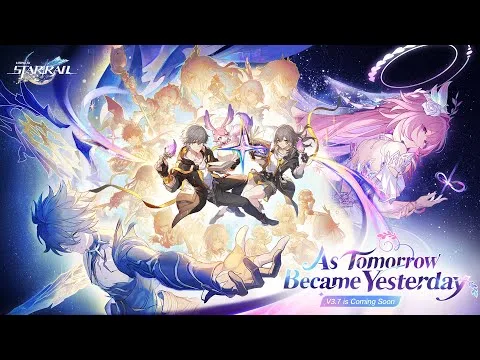
The gallery shows worlds and party-based combat from the cited Honkai: Star Rail trailers. The screenshot selection also shows Honkai: Star Rail promotional still from Version 3.7 Trailer — "As Tomorrow Became Yesterday", Honkai: Star Rail promotional still from Honkai: Star Rail Official Trailer at TGS 2023, and Honkai: Star Rail promotional still from Honkai: Star Rail World Premiere Trailer.